My Disney Experience
- 4.5
- Rating
- 10.00M
- Installs
- Free
- Price

 Analysis by App-foxy
Planning a Walt Disney World visit is very different from choosing a restaurant for an ordinary weekend. There are parks to move between, tickets to manage, meals to coordinate, and plenty of moments when a small delay can change the whole day. I used My Disney Experience as the main digital companion for that kind of trip, and I found it most useful when I treated it as a planning and navigation tool rather than as a complete replacement for personal judgment.
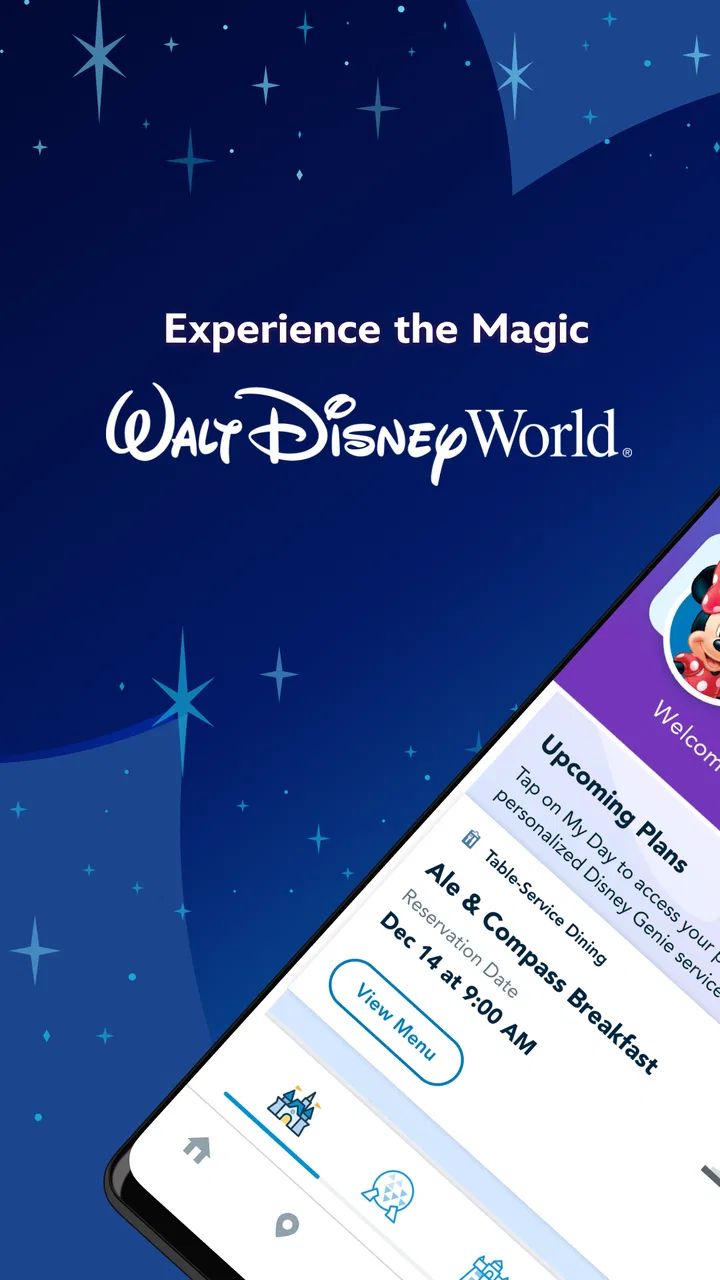
It is a free Travel & Local app from Disney, aimed at everyone, and it brings resort maps, wait-time information, ticket-related tasks, dining details, and other visit planning tools into one place. The app has reached over ten million installs and holds a 4.5 average from around 162 thousand ratings, so it is clearly familiar to a large number of visitors. Those figures do not automatically make every part of the experience perfect, but they do suggest that this is the official app many guests turn to before and during a Walt Disney World trip.
What My Disney Experience is really for
The short version is simple: this is the app I would open when I needed to answer, “What should I do next at the resort?” It is built around the practical details of a Disney day. Instead of switching between a general map, a separate restaurant search, a browser tab for tickets, and notes on my phone, I could keep the most relevant trip information together.
You May Also Like

 Blood Strike: 2.5 Anniversary
Blood Strike’s Loadouts Turn Every Drop Into a Tactical Gamble
A close look at Blood Strike’s custom loadouts: how fast access to signature weapons reshapes its battle royale rhythm, rewards preparation, and narrows the gap between fights.

 Pandora - Music & Podcasts
Pandora’s Music Is Easy to Start, but Harder to Recover
Pandora’s strength is its low-effort path from a seed to a station. Its weak spot is how much confidence it asks you to place in connection, setup, and quiet recovery.

 8 Ball Pool
 Is Built on Rivalries, Rematches, and Routine
A close look at the rivalries, rematches, shared routines, and unanswered safety questions that turn a quick pool match into a persistent mobile community.

 Samsung Music
’s Quiet Strength Is Playing What You Already Own
Its reach comes less from spectacle than from dependable access to a personal library. That simplicity is both the app’s strongest retention engine and its ceiling.

 AccuWeather: Weather Radar
AccuWeather Review: A Quick, Clear Forecast for Everyday Decisions
For everyday plans, the best forecast is the one you can understand quickly. AccuWeather makes rain timing, radar, and local conditions easy to act on, with a few trade-offs.

 Hill Climb Racing
Why Hill Climb Racing Still Turns Crashes Into One More Run
A tiny car, a bumpy hill and one more upgrade: Hill Climb Racing keeps resurfacing because its simple chaos makes every near-miss feel personal.
More From Our News Desk
View All News


That concentration is its strongest idea. A general map may show roads and landmarks, but it is not designed around a theme-park day. A restaurant app may help compare places to eat, but it does not put dining decisions beside park maps and attraction wait times. My Disney Experience makes more sense when the question is not simply where something is, but how that location fits into the rest of the visit.
I also appreciated the difference between planning at home and making decisions inside a park. At home, the app works as a preparation space: I could think about which parks mattered most, check dining options, and organize the broad shape of a day. On location, it becomes more tactical. I could look at the map, compare current waits, and decide whether crossing the park was worth the time.
That does not mean I would follow it blindly. Wait times change, walking routes can feel longer with children, and a plan that looks efficient on a screen may be tiring in real life. The app gives useful information, but the best results come from combining it with common sense, breaks, weather awareness, and an honest understanding of the group’s energy.
Trust starts with using the official source carefully
Because Disney develops and operates the app, I see it differently from an unofficial planning tool. The official connection is valuable when I am handling resort-specific information, especially anything related to tickets or dining. I would rather begin with the app associated with the destination than rely entirely on screenshots, old blog posts, or a third-party planner that may not reflect current conditions.
Still, “official” should not mean “switch off your attention.” An app connected to a major trip can involve personal details, reservations, location-related context, and account activity. My approach is to use only the parts I need, read each confirmation before accepting it, and avoid treating every prompt as something that must be completed immediately. That habit is more important than any polished interface.
The app’s age rating is Everyone, which makes sense for a family travel companion rather than an entertainment title aimed at a particular age group. However, an Everyone rating does not remove the need for adult supervision of account decisions. Parents or trip organizers may be the people making ticket and dining choices, while children may only need to see the day’s plan or help choose the next attraction.
Disney’s name also creates a particular expectation: I want the app to be useful at the exact moments when a visit becomes complicated. In my experience, its value is clearest when I use it before a decision becomes urgent. Checking the layout ahead of time, reviewing dining possibilities before everyone is hungry, and understanding where the main areas sit can reduce pressure later.
Account controls deserve deliberate attention
The most important trust decision is not whether the app looks friendly; it is what I choose to connect to my account and how carefully I review each action. I would create or use the account with a clear purpose, keep login details private, and avoid handing my phone to a child when the screen could lead to a reservation or ticket change.
When an app combines planning with transactions or reservations, I slow down at confirmation screens. I check the date, party size, park or venue, and any other visible details before proceeding. This is a small habit, but it prevents a common travel mistake: tapping through quickly because the family is already waiting for an answer.
I also prefer to keep notifications purposeful. A travel app can become noisy if every alert is treated as equally important. I would enable the messages that help with an active visit and review the rest later. If I were finished with the trip, I would revisit notification and account settings rather than allowing a holiday-focused app to keep demanding attention indefinitely.
Another practical point is shared-device use. A family may pass one phone around, but that does not mean every person should have unrestricted access to the account. I would show a child a map or wait-time screen myself, then take the phone back before opening anything involving tickets, reservations, or personal account information. That is not a criticism unique to Disney; it is simply sensible behavior for any app that sits close to travel arrangements.
When personal data becomes more sensitive
The most data-sensitive moments are the ones connected to identity, bookings, payments, or the movement of a group through a busy resort. I would treat those moments differently from casually checking a map. Before entering information, I ask myself whether the field is necessary for the task in front of me and whether I am comfortable completing it on the current device and network.
I am careful with public Wi-Fi and shared phones during travel. Even without making assumptions about the app’s underlying practices, the user still controls some important behavior: using a private device when possible, locking the screen, avoiding saved passwords on borrowed hardware, and signing out where appropriate. These steps protect the account without requiring complicated technical knowledge.
Location-related choices also deserve attention. A map is useful because it reflects where places are in relation to one another, but I do not turn on every device setting automatically. I review what the phone asks for and decide whether the convenience is worth it at that moment. If I only need to look at a park map, I may prefer to browse manually rather than grant more access than I need.
My advice is especially cautious for families. Children may ask to use the app because it feels like part of the trip, but the adult managing the account should remain in control of sensitive screens. I would let children participate in harmless choices, such as discussing which attraction or dining area sounds appealing, while keeping ticket and reservation actions with the responsible adult.
There is also a less obvious privacy issue: screenshots. Guests often capture reservations, maps, or plans to share with relatives. That can be convenient, but screenshots may expose names, times, confirmation details, or other information. I would crop them before sending them to a group chat and delete them later if they are no longer needed. The app cannot make that decision for me; it is part of using the tool responsibly.
How I use it during a realistic park day
Imagine a family arriving with a rough plan but no desire to spend the entire day following a rigid schedule. Before leaving the hotel, I would open the app to review the day’s park information and identify two or three priorities. I would also look at dining choices early, because waiting until everyone is tired and hungry turns a simple meal decision into a disagreement.
Once inside, I would use the map to understand the next practical move rather than constantly searching for the most popular attraction. If one area is already crowded, I might choose something nearby instead of crossing the park for a small theoretical time saving. This is one of the app’s less obvious strengths: its value is not only in finding attractions, but in helping me make a decision that respects walking distance.
Suppose the family has just finished a ride and the children are losing patience. I would check wait times, but I would not choose solely by the lowest number. A nearby attraction with a slightly longer wait may be better than a distant one if it avoids unnecessary walking. I would also use the map to locate a suitable place for a pause, because the best itinerary is often the one that prevents the next hour from becoming miserable.
At lunchtime, I would use the dining information as a planning aid rather than assuming that the first appealing option will work for everyone. Dietary needs, seating preferences, budget, and the group’s location all matter. The app can bring dining choices into the same trip context, but I still read the details carefully and confirm that the selected place suits the actual group.
Later, if weather or fatigue changes the plan, I would treat the app as a live reference rather than a promise. I might remove an attraction from the immediate plan, choose something closer, or stop planning altogether for a while. This flexibility is important. A digital itinerary should reduce stress, not force the family to prove that the original schedule was correct.
Where it beats ordinary alternatives
Compared with a general maps app, My Disney Experience is more relevant to the structure of a Walt Disney World visit. A standard map is excellent for broad directions and nearby services, but it does not feel built around the specific questions a park guest asks throughout the day. Here, the map, wait-time context, tickets, and dining information belong to the same destination-focused experience.
Compared with a paper map, the app is more adaptable. Paper is still useful as a quick visual reference and does not depend on battery life, but it cannot respond as easily when the group changes direction or when I want to check current information. I would not discard a paper backup entirely, especially for a long day, but I would prefer the app for active planning.
Compared with unofficial Disney trip planners, the official app has a clear advantage for tasks that touch the resort account. An independent guide may offer excellent strategy and personal advice, but I would use it alongside the official app rather than instead of it. The third-party tool may explain how experienced visitors think about a day; My Disney Experience is the place I would check for my own trip details.
The trade-off is that an official app can feel more task-focused and less independent. It is not the same as reading a thoughtful human itinerary that explains why one park order might suit a particular family. If you want deep historical context, crowd philosophy, or a fully personalized touring strategy, a guide or experienced planner may be better. I see the app as the operational layer, not the only source of travel wisdom.
Small frictions that affect the experience
The biggest limitation is mental overload. Bringing maps, waits, tickets, and dining into one app is convenient, but it also means there can be a lot to process when I am already tired. I found it easier to decide what I needed before opening it. If I opened the app without a question in mind, I could spend too much time browsing instead of enjoying the park.
Battery dependence is another practical weakness. A phone used for navigation, photos, messages, and travel planning can lose power quickly during a full day. I would begin with a charged phone and carry a charging solution, because an app cannot help much if the device is nearly empty. This is especially important for the person who holds the family’s account and plans.
Connectivity can also affect confidence. I do not assume that every screen will behave exactly as expected in every crowded or busy moment. For that reason, I would note important details in a secure personal way and keep essential confirmation information accessible without relying on repeated searching. I would not store sensitive details in an open note or share them casually, but I would avoid making the app my only memory.
There is also a behavioral drawback: checking the phone too often can make the visit feel like a logistics exercise. My solution is to use the app at natural checkpoints—before leaving a hotel, after finishing an attraction, before a meal, and when the group genuinely needs a new plan. That rhythm gives me the benefit of live information without allowing the screen to dominate the day.
Who should use it, and who may prefer something else
I would recommend My Disney Experience to anyone visiting Walt Disney World who wants one official place to organize the practical side of the trip. It is particularly helpful for first-time guests, families coordinating different preferences, and visitors who dislike carrying a printed folder full of reservation notes. The free price also makes it an easy tool to try before deciding how heavily to rely on it.
It is a strong fit for people who want current, destination-specific information and are comfortable managing an account from a phone. It can also help experienced visitors who already know the parks but want quicker access to maps, waits, tickets, or dining decisions during the day.
I would be more cautious about recommending it as the only planning resource for someone who dislikes smartphone-dependent travel. If you prefer paper schedules, minimal accounts, or a phone-free holiday, the app may feel like extra administration. The same is true for travelers who want a detailed, personalized strategy before arrival; an independent guide may explain the reasoning better, while this app handles the practical execution.
Families should also decide in advance who is responsible for the account. Giving everyone equal control may sound convenient, but it can create confusion when several people make changes or simply tap the wrong option. One adult coordinator, with other family members involved in low-risk choices, is the arrangement I find easiest to manage.
Version, accessibility, and the everyday ownership question
The current version is 8.18, and the app requires iOS or Android version 10 or later. That makes checking device compatibility part of preparation, especially if a family member plans to use an older phone. I would update before traveling rather than waiting until the first park morning, when time, battery, and connectivity are all more valuable.
Because this is a free app, the main cost is not a purchase price but the attention it asks from me. I need to maintain the account, keep the phone available, review choices, and protect the device. That is a fair exchange when the app genuinely reduces confusion, but it is still an exchange. Travelers who want the fewest digital responsibilities may reasonably decide that a simpler plan suits them better.
I also judge the app by how visible the user’s choices feel. Whenever I reach a screen involving account details, tickets, dining, notifications, or device access, I want to understand what I am agreeing to before continuing. My recommendation is to pause at those points, read the wording, and use the available settings rather than accepting everything by habit. That approach gives me more control without requiring assumptions about what happens behind the scenes.
Disney has built a practical companion for a complicated destination. The app’s popularity—around 39 thousand written reviews among its broader rating base—shows that many guests actively discuss their experience with it, while the developer’s identity makes it the natural starting point for resort-specific tasks. I would still judge it by the particular trip: a short visit with a loose plan may need only occasional checks, while a large family trip may benefit from more deliberate preparation.
My cautious verdict
I came away viewing My Disney Experience as useful, but not magical in the sense of making every travel decision for me. Its best quality is concentration: the information I need for a Walt Disney World day is gathered in a destination-specific app rather than scattered across unrelated tools. Maps, wait times, tickets, and dining are more valuable together than they would be in isolation.
My main advice is to use it with boundaries. Decide which adult controls the account, review sensitive actions before confirming them, choose notifications deliberately, protect the phone, and avoid checking the screen every few minutes. Keep a private backup of essential plans, and remember that a wait-time number is guidance rather than a guarantee of how the whole day will feel.
For a first-time visitor, I think the app is worth installing because it can make the resort easier to understand and the day easier to adjust. For an experienced guest, it remains useful as an operational reference, though it may not replace a carefully researched personal strategy. For someone who wants a low-tech holiday, a printed plan and occasional help from staff may be a better fit.
My final recommendation is measured but positive: use My Disney Experience as the official control panel for your visit, not as the sole authority over it. When I combine its practical information with sensible account habits, flexible expectations, and time away from the phone, it becomes a genuinely helpful travel companion rather than another source of pressure.
FAQs for My Disney Experience
01What is My Disney Experience and how does it enhance my visit to the parks?
My Disney Experience is a comprehensive app designed to enhance your visit to Disney parks. It offers features like park maps, wait times, and the ability to book FastPass+ selections and dining reservations. The app provides real-time updates and personalized recommendations, making your Disney experience more enjoyable and efficient.
02Is My Disney Experience free to download and use?
Yes, My Disney Experience is free to download on both Android and iOS platforms. The app itself does not require any payment to use its basic features. However, certain features, like purchasing tickets or booking special events, will incur additional costs. The app serves as a convenient tool to manage and plan your Disney trip.
03Can I link my Disney tickets and reservations to the My Disney Experience app?
Absolutely! My Disney Experience allows you to link your park tickets, hotel reservations, and dining plans directly to the app. This integration helps manage all aspects of your visit in one place and provides a seamless experience. You can easily access your plans and make changes as needed through the app.
04Does My Disney Experience support real-time updates and notifications?
Yes, the app supports real-time updates and notifications. You can receive alerts about ride wait times, show schedules, and dining reservations. Additionally, the app can notify you about special events and offers. This feature ensures that you are always informed and can make the most of your time at the parks.
05What are the privacy and data security measures in place for My Disney Experience?
My Disney Experience prioritizes user privacy and data security. The app uses encryption and secure servers to protect personal information. Users have control over their data sharing preferences and can adjust settings within the app. Disney is committed to adhering to industry standards to ensure your information remains safe during your magical adventure.
Pros
- Seamless integration with park tickets.
- Real-time wait time updates.
- Easy dining reservations.
- Customizable itinerary planner.
- Interactive map with GPS navigation.
Cons
- Requires constant internet connection.
- Can be overwhelming for new users.
- Some features need in-app purchases.
- Battery drain on extended use.
- Occasional app glitches reported.

My Disney Experience
Gallery